
Employment Permits Online (EPO): a step-by-step guide to the portal
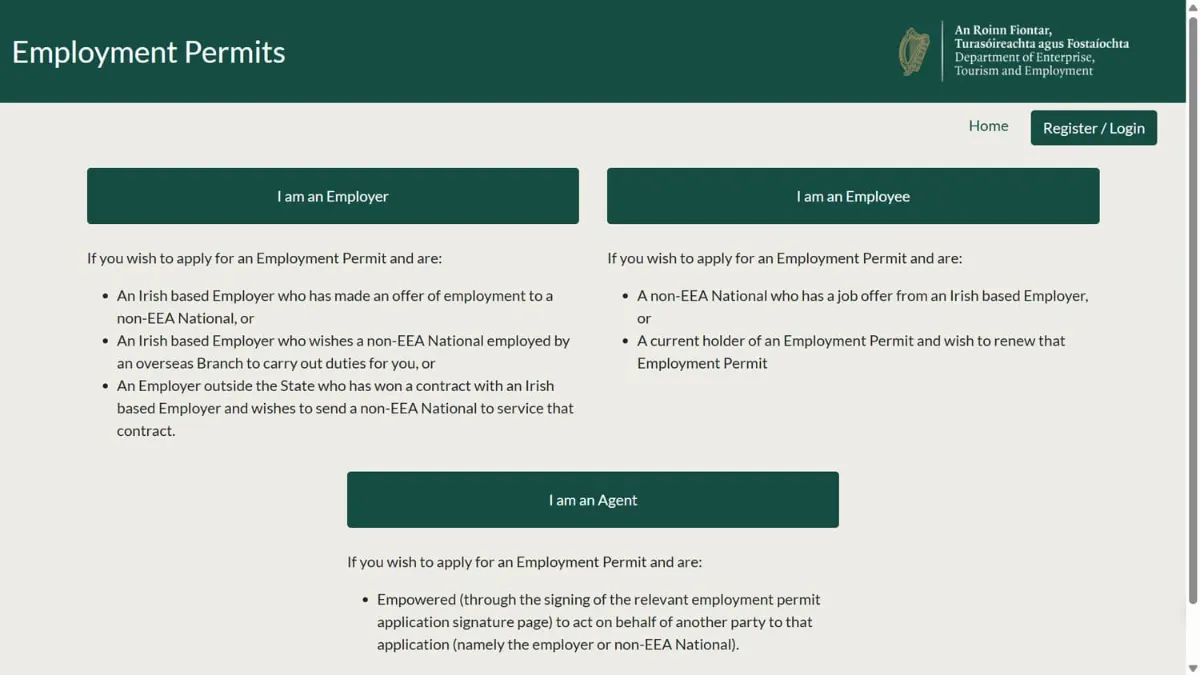
In short: Employment Permits Online (EPO) is the Department of Enterprise's online system for every Irish employment permit application. The employer, the employee and any agent each need their own account. The application is completed jointly, signed electronically by everyone, then paid for and submitted. You track it in the portal at employmentpermits.enterprise.gov.ie.
EPO went live on 28 April 2025 and replaced the older online system (often called EPOS). Every new application, renewal, change of employer, appeal, withdrawal and cancellation now goes through it.
Who needs an account
- Employers. The first person to register should be the company’s main contact, using the same details the Department already holds. The employer then uploads its Revenue and CRO details, which the Employment Permits Unit checks before the account can be used.
- Employees. The person who will hold the permit registers their own account, with a personal email address, not a work one. If you’ve had a permit before, your name, email, date of birth and passport number must match your earlier record.
- Agents, such as a consultancy like ours, have their own account and act for the employer, the employee or both.
The email address used to register becomes the account’s administrator. Employers and agents can add more contacts to the account once it’s verified, and every contact can prepare and submit applications.
Registering, step by step
- Create the account at employmentpermits.enterprise.gov.ie with an email address and password.
- Confirm your email using the link the system sends. If it doesn’t arrive, check your spam folder, or log in again to send a new one.
- Set up two-step login. Each login is confirmed with a code sent to a mobile number, so landlines won’t work. Use the code within 10 minutes. If you’re abroad and the text doesn’t arrive, the code is also sent by email.
- Employers: wait for validation. The Employment Permits Unit checks your Revenue and CRO details. Your employer registration number (or tax registration number, for a sole trader) must match the Department’s records exactly, down to spelling and capital letters.
Making an application
- One person creates it. Either the employer or the employee starts the application, not both. If you’re using an agent, the employer must add the agent on the first screen, even if the agent is already linked to the account.
- Each party fills in their own part. The employee gives their personal details, passport and qualifications. The employer gives the job, the contract and the pay. The agent can complete the sections for whoever they represent.
- Upload the documents. Each file must be under 5MB. The applicant’s photo must be a digital JPEG, not a scan, between 413 × 531 and 448 × 590 pixels at 240–300 DPI.
- Everyone signs. The employer, the employee and the agent each sign electronically. Until all of them have signed, the application stays in draft and the Pay Now button won’t appear.
- Pay and submit. The government fee is €1,000 for most new permits of over six months, and 90% is refunded if the application is refused.
Tracking your application
Your account shows each application’s status, for example draft, awaiting payment, processing, requested information, issued, refused or appeal. If the Department needs more information, it emails everyone linked to the application, and you reply through the portal.
Applications are dealt with in date order. In late October 2026 the Department was working on Critical Skills applications received around mid-October, new General Employment Permit applications from around late September, and renewals from early August. These dates move every week, so check the current processing dates before you plan a start date.
Renewals and changes of employer
These also go through EPO. The Renew button only appears in the renewal window before the permit expires. Choose Renewal as the application type, not New. If an agent handles your renewal or change of employer, they must be added to the application.
Common problems
- “Details don’t match.” Names, company names and registration numbers must match the Department’s records exactly. Abbreviations and spelling count.
- No login code. Wait a few minutes and press resend once. Pressing it repeatedly can block your number for a while.
- Photo won’t upload. Check the size and resolution above, save the file to your desktop and try again.
- Stuck in draft. Someone hasn’t signed yet. Check that every party, including the agent, has signed.
- Technical faults: email [email protected]. Questions about permits: [email protected].
The Trusted Partner scheme no longer exists
Every employer now holds an EPO account, so there is no Trusted Partner status and no separate fast lane for registered employers.
Want us to handle it?
As your agent, we set up the application, prepare and check every section and document, make sure everyone signs, and follow it up with the Department until a decision is made. For the permit itself, see General Employment Permit or Critical Skills Employment Permit, or get a free assessment of your situation.
Does this affect your application?
Tell us about your job and situation and we'll tell you where you stand, free.
Get a free assessment